Hi there 
Github Page | Home | Teaching Kids | 中文
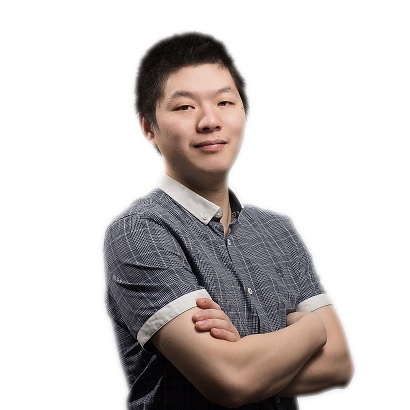
My Chinese Name is 赖智华 (Lai, Zhihua) - Pronunciation
I am currently a Senior Software Engineer at Microsoft Research Cambridge. Prior to that I worked as a SDE (Software Development Engineer aka Someone Does Everything) for Amazon Web Services (S3 Object Lambda) and as a Staff Software Engineer for General Electric Smallworld where I added while loop, regex, http library and so much more to the Magik Programming Language.
I am passionate for Algorithms, Blockchain and Cloud. I am currently a Top 3 Witness (Block Producer) of the Steem Blockchain (see Witness Ranking Table).
In High School (2003), I participated in National Olympiad in Informatics in Province NOIP (e.g. a programming contest) and won the Third Prize.
My Resume:
- Markdown The Short Version: Github/Online Markdown | PDF: short resume (936.54 KB, June-02-2026)
- Markdown The Long Version: Github/Online Markdown | PDF: long resume (1731.33 KB, June-02-2026).
Connect me on (Linkedin). My profile at Microsoft Research and Google for Developers.
Keep Learning!:
- My Microsoft Learn Profile zhihualai
- My Credly Profile zhihua-lai
- StackOverflow
- C++ Coding Exercise
My GPT-s:
Certifications (Microsoft, Google):
| Code | Domain | Name | Certification Number | Earned-on Date |
|---|---|---|---|---|
| PL-900 | Power Platforms | Power Platform Fundamentals | 69AAEZ-FD6360 | June 1, 2026 (Syllabus) |
| AZ-500 | Security | Azure Security Engineer Associate | 6318AC-1F9DEE | May 22, 2026 (Syllabus) |
| SC-100 | Security | Cybersecurity Architect Expert | 7EE065-8C3CBW | May 8, 2026 (Syllabus) |
| SC-300 | Security | Identity and Access Administrator Associate | 580B52-T0A5BD | May 8, 2026 (Syllabus) |
| GH-500 | Git | Github Advanced Security | 50295R-7F754 | May 8, 2026 (Syllabus) |
| AI-901 | AI | Azure AI Fundamentals (Beta) | Pending | May 1, 2026 (Syllabus) |
| GH-100 | Git | Github Administration | BF44B3-48M622 | April 29, 2026 (Syllabus) |
| AZ-400 | DevOps | Azure DevOps Engineer Expert | 692747-12AEA4 | April 17, 2026 (Syllabus) |
| GH-300 | Git | Github Copilot | DCJD08-DF0F44 | April 17, 2026 (Syllabus) |
| AZ-700 | Network | Azure Network Engineer Associate | 53E66B-4XA079 | April 10, 2026 (Syllabus) |
| GH-200 | Git | Github Action | 11F89A-3CC7A3 | April 6, 2026 (Syllabus) |
| GH-900 | Git | Github Foundation | 7C1674-5CE607 | March 30, 2026 (Syllabus) |
| PR000309 | AI | Google Cloud Certified: Generative AI Leader | 03429e7450ad4c33926ed613d65793e8 | March 27, 2026 |
| AZ-305 | Cloud | Azure Solutions Architect Expert | E45B62-19NE7E | March 27, 2026 (Syllabus) |
| AZ-104 | Cloud | Azure Administrator Associate | CBE3B7-4911PC | March 13, 2026 (Syllabus) |
| AB-731 | AI + Business | AI Transformation Leader | BNBA25-32A1F8 | March 13, 2026 (Syllabus) |
| AB-730 | AI + Business | AI Business Professional | 25A6FZ-E1AF43 | February 27, 2026 (Syllabus) |
| AZ-204 | Cloud | Azure Developer Associate | T6D896-FDCEDF | February 27, 2026 (Syllabus) |
| AI-102 | AI | Azure AI Engineer Associate | 25A6FZ-E1AF43 | February 20, 2026 (Syllabus) |
| AZ-900 | Cloud | Azure Fundamentals | B6FAD6-2S7125 | January 16, 2026 (Syllabus) |
| SC-900 | Security | Security, Compliance, and Identity Fundamentals | B6A851-BECO96 | January 13, 2026 (Syllabus) |
| AI-900 | AI | Azure AI Fundamentals | 7Z9DA9-388866 | December 19, 2025 (Syllabus) |
| DP-900 | Data | Azure Data Fundamentals | CD4244-E236BG | December 19, 2025 (Syllabus) |
Here are some of my side-projects - I write blogs and provide Free APIs and Tooling.
- Video Downloader
-
- TRON:TRX/USDD/USDT to STEEM Swap!
- Steem Power Rent/Lease DeFi Services
- STEEM/SBD to SUI Swap
- STEEM/SBD to SOL (Solana) Swap
- STEEM/SBD to ETH (Ethereum) Swap
- STEEM/SBD to Tether USDT (TRON-TRC-20) Swap
- STEEM/SBD to TRX/TRON Swap
- STEEM/SBD to BTS/BitShares Swap
- Free Account Registration Tool for Steem Blockchain
- Steem Witness Ranking Table & API
- Steem Blockchain Explorer
- Integrating ChatGPT Prompt AI to STEEM blockchain
- And so many other tools
- Free Cryptos API
- Coin Lookup Telegram Bot - Coin Lookup Discord Bot
- Sudoku API and other String APIs
- VPS Database
- A few useless tools
- And some other online software/tools
- Merge Files/Videos
- LOGO Turtle Programming Chrome Extension
- Teaching Kids Programming - Youtube Channel and All Contents
- A Simple Health Check Tool
- YAML ↔ JSON Converter
- ROT47 Cipher Converter
- Base64 Converter
- Markdown to HTML Converter
- Prime Factorization
- Simple Hex Viewer
- A Sokoban Game
-
TronFAQ Telegram Bot and TronFAQ Discord Bot (Offline)
- A Bot to Answer some FAQ for Tron Network using AI & Machine Learning Algorithms
- Tron Shasta Faucet: Distribute Stable Coins (USDT, USDD, USDC) and TRX coins on Tron Blockchain Shasta Test Net
- Tron Nile Faucet: Distribute Stable Coins (USDT, USDD, USDC) and TRX coins on Tron Blockchain Nile Test Net
Enjoy what I am doing? Buy me a coffee please ☕ or Become a Github Sponsor 💰 or Become a Patreon 💰 or Crypto Payment Accepted ₿ or Paypal 🅿️ or Thanks.Dev
Open Source Contributions
Work Github Account @doctorlai-msrc and Personal Github Account @doctorlaiMerged Pull Requests
My Open Source Projects
- Telegram Bot for LLM
- Load Balancer RPC Node for Steem Blockchain
- Flask App with Sentence Transformers
- awesome-steem
- Docker Steem Witness Node Utility
- YAML ↔ JSON Converter
- Rot47 Cipher Converter
- Base64 Converter
- Markdown to HTML Converter
- Prime Factorization
- Simple Hex Viewer
- Steem Proxy CloudFlare Snippet
- A Sokoban Game
Docker Hub Images
Publication (Conferences, Journals, Patents)
I published a few conference and journal papers on Radiowave Propagation Modelling.
View my publication at Google Scholar. My ORCID is 0009-0005-6429-7194
Here are the publications since I joined Microsoft.
- Distributed AI Platform for the 6G RAN, Ganesh Ananthanarayanan, Matthew Balkwill, Xenofon Foukas, Zhihua Lai, Bozidar Radunovic, Connor Settle, Yongguang Zhang. In 2nd ACM Work shop on Open and AI RAN (OpenRan'25), November 4-8, 2025, Hong Kong, China. ACM, New York, NY, USA, https://arxiv.org/pdf/2410.03747 | Local Download
- Accelerating Open RAN Research Through an Enterprise-scale 5G Testbed, Xenofon Foukas, Bozidar Radunovic, Matthew Balkwill, Zhihua Lai, Connor Settle and etc, In The 29th Annual International Conference on Mobile Computing and Networking (ACM MobiCom'23), October 2-6, 2023, Madrid, Spain. ACM, New York, NY, USA. https://doi.org/10.1145/3570361.3615745 | Local Download
- Programmable RAN Platform for Flexible Real-Time Control and Telemetry, Xenofon Foukas, Bozidar Radunovic, Matthew Balkwill, Zhihua Lai, Connor Settle, In The 29th Annual International Conference on Mobile Computing and Networking (ACM MobiCom'23), October 2-6, 2023, Madrid, Spain. ACM, New York, NY, USA. https://doi.org/10.1145/3570361.3614065, (Best Demo Award Runner-Up)
- Taking 5G RAN Analytics and Control to a New Level, Xenofon Foukas, Bozidar Radunovic, Matthew Balkwill, Zhihua Lai, In The 29th Annual International Conference on Mobile Computing and Networking (ACM MobiCom'23), October 2-6, 2023, Madrid, Spain. ACM, New York, NY, USA, 16 pages. https://doi.org/10.1145/3570361.3592493 | Local Download
- Taking 5G RAN Analytics and Control to a New Level, Xenofon Foukas, Bozidar Radunovic, Matthew Balkwill, Zhihua Lai, Technical Report | December 2022 | Local Download
Microsoft Job Referrals
Please could you send your Resume/CV and a preferred job post URL (Job ID) to emhpaHVhbGFpQG1pY3Jvc29mdC5jb20K if you want to apply to Microsoft via Referral. Usually, your application will be referred within 24 to 48 hours if your profile looks suitable for the job posts.
You can view a list of job openings in Microsoft.
Discussions / Ideas / Projects
Let's discuss ideas/projects and any other interesting stuffs on Github Discussions!
Private Tutoring (Cambridgeshire Area)
I might be able to do private tutoring on a various subjects, please contact for details.
Online Judges
I love problem solving! And you can find my trails on the following places:
- http://leetcode.com/justyy
- http://leetcode-cn.com/u/justyyuk
- https://acm.timus.ru/author.aspx?id=46914
- https://codeforces.com/profile/DoctorLai
- https://projecteuler.net/progress=justyy

Other Contact Emails
- Email anVzdHl5QHpvaG8uY29tCg== for Help on Steem Blockchain or simply contact me via @justyy
- Email ZHIuemhpaHVhLmxhaSBbQVRdIGdtYWlsLmNvbQo= for All other collaborations and queries.
- Catch-All Email * [AT] zhihua-lai.com
Last modified: June 02 2026 11:33:00.